How receipt scanning can improve budget category accuracy
Learn what receipt scanning adds to a household budget, when item-level categories are worth using, and what still needs a quick human review.

The short answer
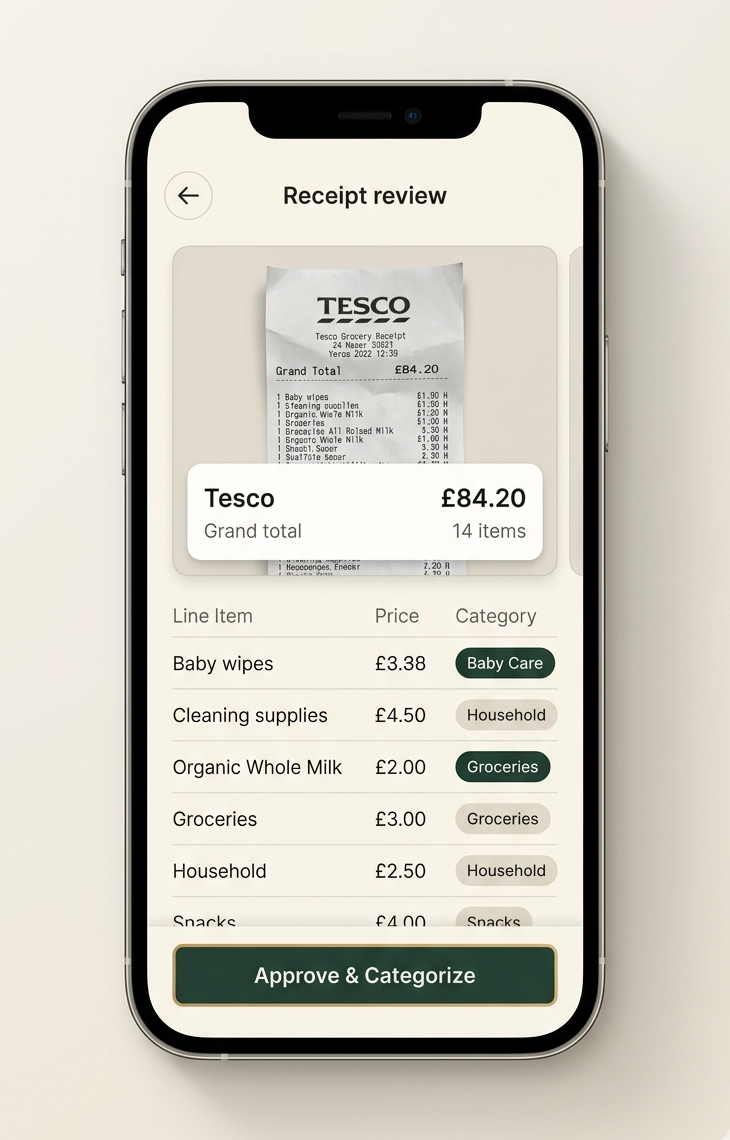
Receipt scanning can capture the merchant, total and individual items, allowing one mixed purchase to contribute to several useful budget categories. It reduces typing, but you should still review unclear item names, categories, quantities and totals before saving.
A receipt can answer the question a payment transaction usually cannot: what did the household actually buy?
That detail is most valuable when one shop contains several types of spending. It is less important for a straightforward purchase that clearly belongs in one category.
What receipt scanning adds
Scanning replaces much of the typing needed to record a paper receipt. A useful result can include:
- Merchant and purchase date
- Receipt total and currency
- Individual item names and prices
- Quantities and discounts when clearly printed
- Suggested categories for review
The main benefit is seeing the individual items. After review, those items can distribute one payment across several category totals.
When item-level categories change the picture
Consider a £74.50 shop containing £42.30 of groceries, £16.20 of cleaning products and £16 of children’s clothes.
At transaction level, the whole £74.50 may appear under Groceries. At item level, the household can see all three purposes without creating three separate payments.
One-category entry
Type the shop and total
£74.50
GroceriesQuick, but the cleaning products and clothes disappear into food spending.
Scanned receipt
Review the extracted items
- Groceries
- £42.30
- Supplies and home
- £16.20
- Children and education
- £16.00
One payment still adds up to £74.50.
This detail helps when the family has separate limits for food, household supplies or children’s costs. If every item belongs to the same purpose, the simpler transaction view may already be enough.
What still needs a human check
Receipts are not written for budgeting software. Item descriptions may be shortened, faded, folded or partly hidden. Discounts and returned items can also make the lines harder to interpret.
Before saving a scan, check:
- The merchant, date, currency and total.
- Any item name that is unclear.
- Categories for the largest or most important items.
- Discounts, refunds and quantities.
- Whether the item amounts still match the receipt total.
A short review protects the accuracy the scan was meant to provide. It is also the right time to ignore detail that will not help the household.
When receipt tracking is especially useful
Receipt scanning works well for supermarkets, pharmacies, department stores, wholesalers and other businesses where one basket crosses several parts of the budget.
It also brings cash purchases into the same household view. A cash payment will not appear in a bank feed, but the receipt can still show what was bought.
For a rent payment, train fare or fixed subscription, manual or recurring entry may be faster because the category is already clear.
Make receipt collection a household habit
Scanning only works when receipts reach the shared budget. Agree on a small routine: scan at the shop, place paper receipts in one location, or review them at a fixed time twice a week.
Give each person responsibility for their own purchases rather than asking one organiser to collect a pile at month end.
What to do next
Choose a recent mixed receipt and identify the two or three items most likely to distort one category. Scan or enter the purchase, review those items and compare the result with assigning the whole payment to the merchant’s likely category.
Keep the extra detail only when it gives the household a better answer.
Common questions
What information can receipt scanning capture?
It can capture details such as the merchant, date, total and individual line items. The exact result depends on the receipt quality and the information printed on it.
Do I need to check a scanned receipt?
Yes. Review the total, item names and categories before saving, especially when the image is unclear, the receipt uses abbreviations or discounts affect the total.
Is receipt scanning better than bank sync?
They solve different problems. A bank feed can reduce transaction entry, while a receipt can show what was bought inside a mixed payment. Choose based on the detail your household needs.
Should every receipt item have a separate category?
No. Separate items when doing so improves a total you use. Small items can remain in a broader category when extra detail would not change a decision.
Put the guide into practice
Build a budget your household can understand together
Create categories that fit your family, scan mixed receipts and keep everyone's spending in one shared place with FamSpendy.
7-day free trial. Cancel anytime.
Keep reading

Family budget categories: a practical starting list
Choose useful family budget categories, handle mixed supermarket purchases, and decide when your household needs more or less detail.

Why banking app categories can misread household spending
Understand why a bank may put a whole payment in one category, when that matters, and how to get a clearer view of mixed household purchases.
Groceries, toiletries and household supplies: together or separate?
Decide whether food, toiletries and cleaning products need separate budget categories, with a simple test and a realistic mixed-shop example.